#1 Matched studio

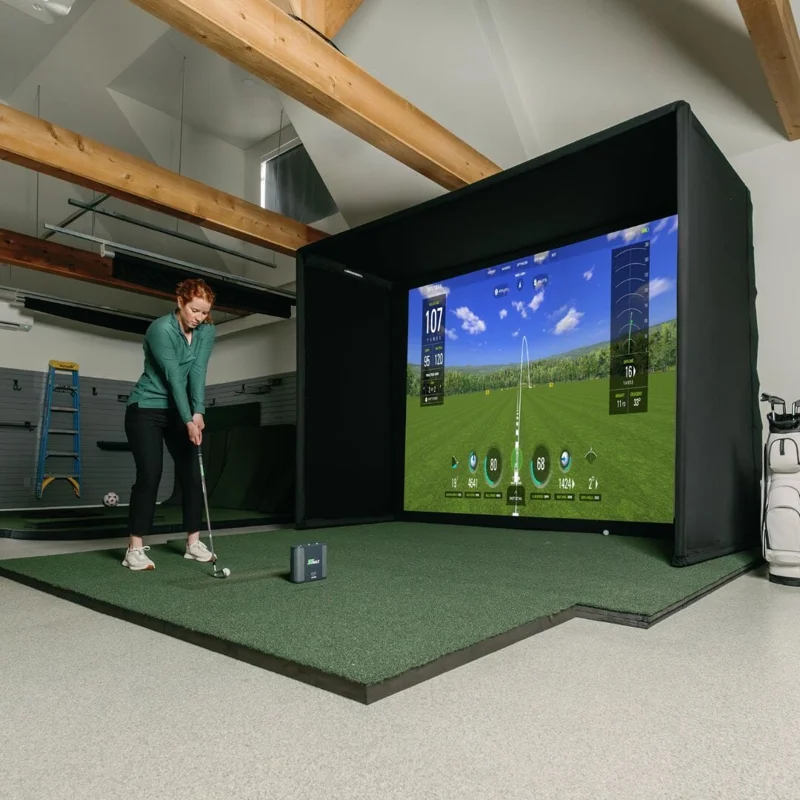
SkyTrak ST MAX Ultimate Studio
- ST MAX tracking unit
- Screen, mat and turf
- Laser projector included
We may earn a commission from some links on this page.
For Black Friday, compare room fit, the launch monitor and software fees first. Record the measurements with the free planner, then check the current package terms.
A Black Friday golf simulator shortlist starts with the space, then the bundle. Compare the selected contents at checkout, including software renewals and delivery. A smaller discount on suitable equipment can beat a larger cut on a setup that will not fit.
Black Friday falls on November 27 this year; Cyber Monday follows on November 30. Merchant promotions can start early and end on different dates. These links lead to current packages without assuming a holiday discount.
Pros: SkyTrak lists a matched set, from the monitor to the tray. That saves the task of pairing screens and projectors yourself, plus the mounts. The 8-foot studio has a protective floor mount; the larger versions use a frame mount and include ceiling-mount hardware. Those choices affect where cables run and where the projected image lands.
Cons: A full studio occupies more space than a net practice bay. Pick a size only after measuring a safe swing area. The maker's listed footprint is an equipment size, not proof that every golfer can swing within it.
Pros: This combines the ST MAX with a SIGPRO Premium impact screen and a padded enclosure. The shop recommends a 12-foot-wide, 18-foot-long bay with 9-foot ceilings for this package. Its listed enclosure minimum is smaller, so use the recommended space as the planning reference and check personal clearance too.
Cons: The included Basic plan is not course play. Paid annual plans add that feature. The projection unit is bundled by default but can be removed or swapped, which changes what arrives. Read the selected configuration, rather than treating every photograph as a packing list.
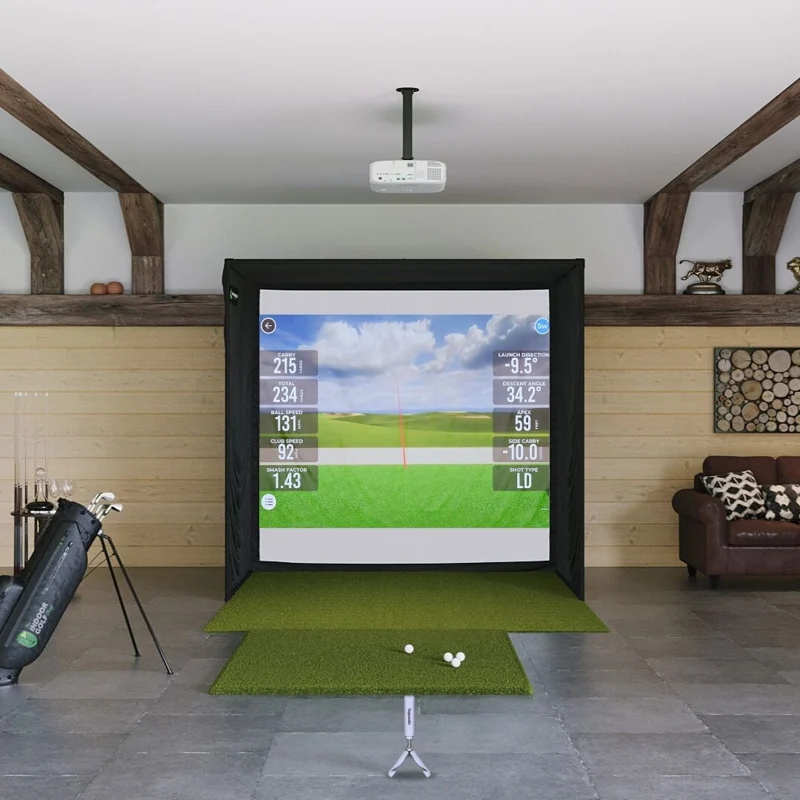
Pros: This is a named pairing of the Rapsodo unit and SIG8 surround, rather than an assorted shopping list. The listing provides a choice between a Fairway Series surface, a SIGPRO Softy option and simulator flooring. Compare those choices against the standing area on the planner. The photo shows the Fairway Series arrangement; other choices look different.
Cons: The SIG8 screen does not settle the device's placement needs. Check the current MLM2PRO instructions before treating this as a small-room solution. Also confirm the membership and device requirements for the intended game mode.
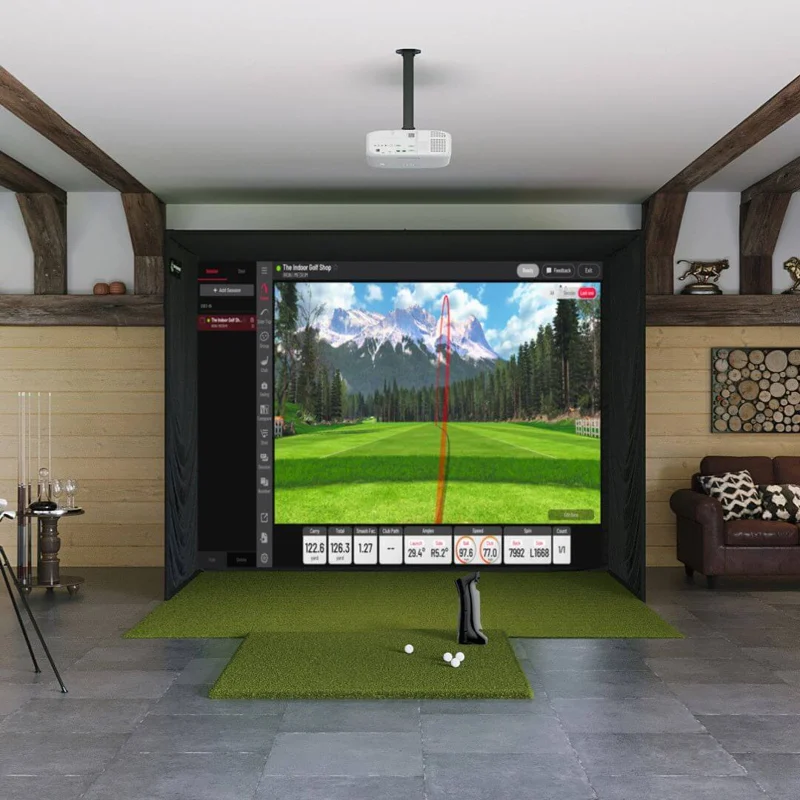
Pros: The EYE MINI's dual cameras capture shot measurements. The shop describes Club Optix as recording movement during the stroke. That makes this a shortlist option for golfers who want to review contact, with the SIG10 housing handling the projected image.
Cons: Match the exact model and selected mat to the order, then read the current Uneekor instructions for any added app.
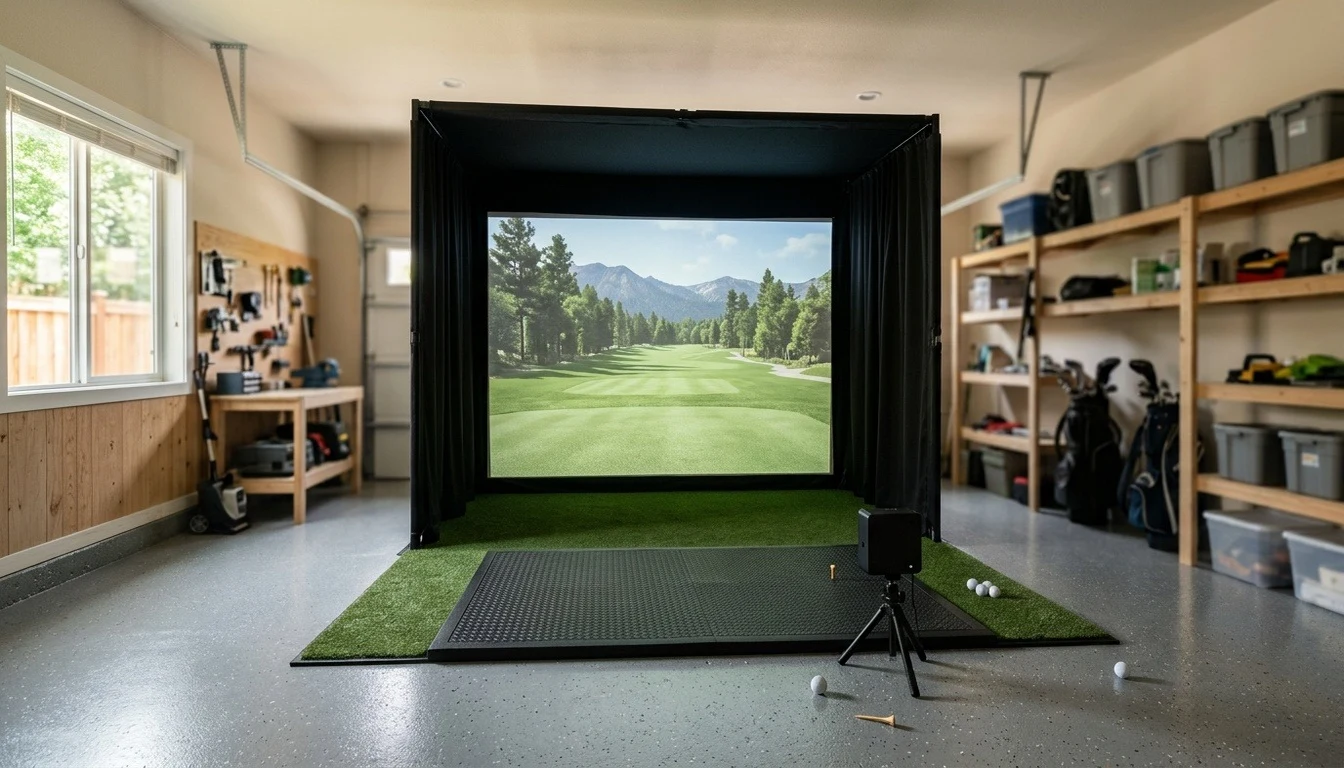
The best home golf choice for a dedicated room depends on the clear area left after furniture and doors. Measure the ceiling with the tallest player and longest driver in mind. Put the standing surface on the plan before checking overhead clearance; a raised golf mat reduces it. A garage door opener or beam can rule out a position even when the empty floor looks big enough.
To save a wasted order, separate the frame dimensions from the width of the picture. Impact screens are only part of the safety plan. Check the maker's placement guide for clearance behind the fabric and account for side protection. Compare enclosures on their dimensions before comparing prices. An indoor setup should contain missed shots as well as straight ones.
Check which technology measures the shot and where it sits. A launch monitor works within a stated placement range. Units beside the tee and radar units behind it have different placement needs. A commercial installation may have extra demands for access and repeated daily use. These home picks are starting points for a personal bay, not a specification for a paid venue.
Put delivery, assembly and annual app fees in the cost sheet before ordering online. Compare the final price for the same specification; sale headlines can refer to a different floor surface or omit projection. Ask which parts are included and which are add-ons. The planner's checklist helps track everything without assuming that one box contains it all.
For more detail, read the clearance guide, compare shot-tracking options, or use the budget calculator. Check brands and models against each other before choosing a premium simulator for entertainment or a simpler bay for drills.
When should a shopper check listings? Begin before November 27 and compare again when the merchant publishes its event terms. An early listing does not promise the lowest pricing, and no future discount is certain.
How should a shopper check code eligibility? If the merchant publishes a code, read its terms first. Do not assume codes stack, apply to all golf simulators, or cover all sizes. Check exclusions and the expiry shown with any code before paying.
Do discounts continue through the Monday event? Some merchants run longer promotions; others set a different end date. The current product listing and checkout determine eligibility. Do not delay an order based on an unannounced extension.
Can the planner help without a purchase? It provides a worksheet to compare possible setups. It does not require buying through these links to shopindoorgolf.com or SkyTrak, and the guide remains useful after seasonal promotions have ended.
Six printable pages to fill in with a tape measure and a pencil: a room-measurement worksheet with the clearance math, a blank build-cost sheet, the five budget tiers priced, the components checklist. Enter an email address and the download appears here.
Is it really free? Yes. The only requirement is an email address. No account or card is required. Where the form shows a separate email choice, the planner is available whether or not you choose follow-up emails.
When do I get it? Immediately. The download button appears on this page the moment the form goes through, so you never have to go looking in a spam folder for it.
What emails will I get? A short series on planning and building the bay: what to measure, what the five budget tiers actually buy, and where builds go over. A couple of minutes each, and every one has an unsubscribe link. Where the form shows a separate choice, those follow-up emails are optional.
Not sure which bay you need yet? Take the 90-second quiz first. It tells you which of the five builds fits your bay, and the breakdown it offers is written for that answer specifically.
Prefer to browse first? Every guide on the site is free to read before signing up. Start on the browse page or run the cost calculator.