Launch Monitors
Golf Launch Monitors: How to Pick One, and the Six Worth Shortlisting
As an Amazon Associate, this website earns from qualifying purchases.
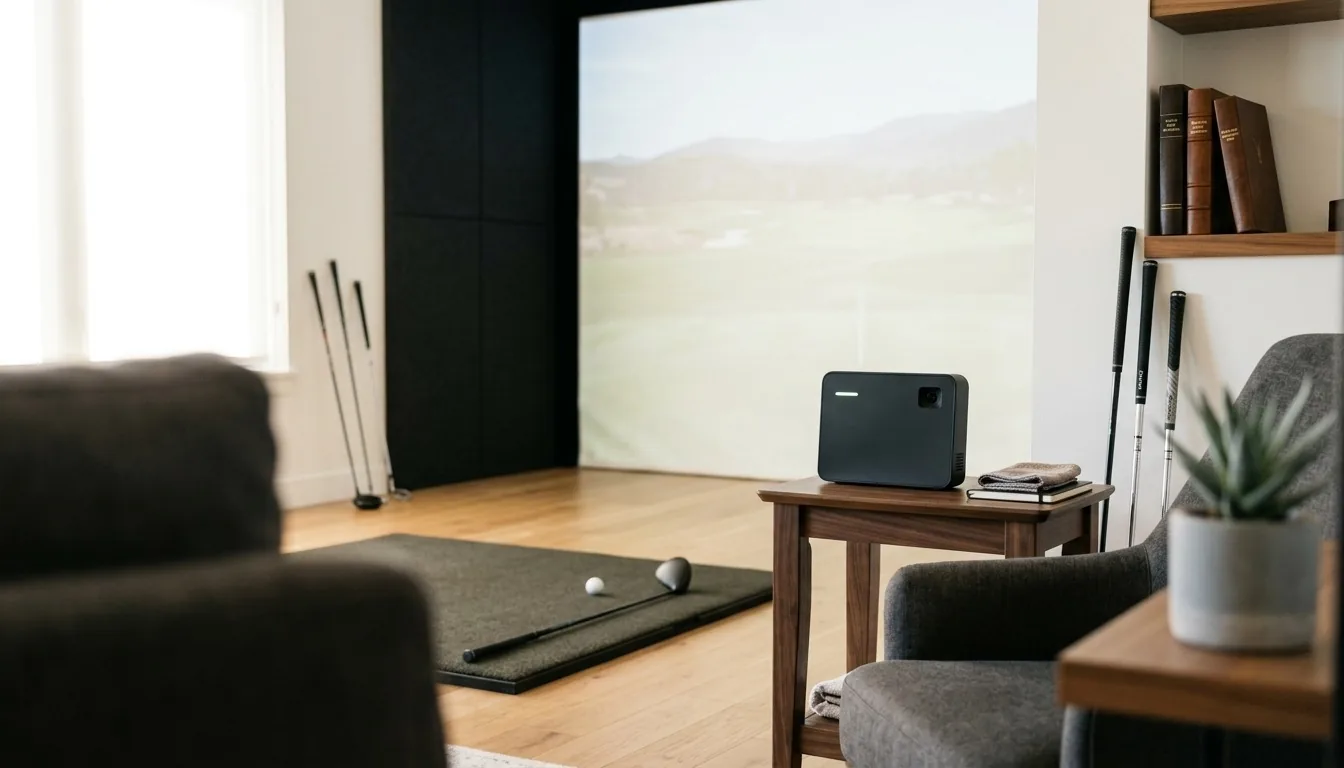
A golf launch monitor is a sensor that reads your ball and often your club at impact, and the choice comes down to one thing: radar units need open room behind and in front of the ball, camera units fit tight rooms but demand the ball sit in a small hitting zone. In a normal indoor room a camera unit such as the SkyTrak ST MAX is the safer buy; radar such as the FlightScope Mevo Gen2 is the better tool in a long bay or outdoors.
Sections11
- How a Golf Launch Monitor Reads Your Shot
- Radar vs Camera: The Split That Decides Everything
- Ball Data vs Club Data, and Which You Need
- How Much Room a Launch Monitor Really Needs
- Indoors vs Outdoors: Why One Unit Reads Two Ways
- Simulator Software and Subscriptions
- Golf Launch Monitor Tiers by What You Want to Do
- The Six Units Worth Shortlisting
- How to Match a Launch Monitor to Your Room
- Mistakes That Waste a Season
- The Verdict on Choosing a Golf Launch Monitor
Our picks at a glance
| Product | Best fit | Check before buying | Latest price |
|---|---|---|---|
 1. SkyTrak ST MAX 1. SkyTrak ST MAX | Best fitShort rooms | Check before buyingMatch the exact model to your room and software. | View Latest Price |
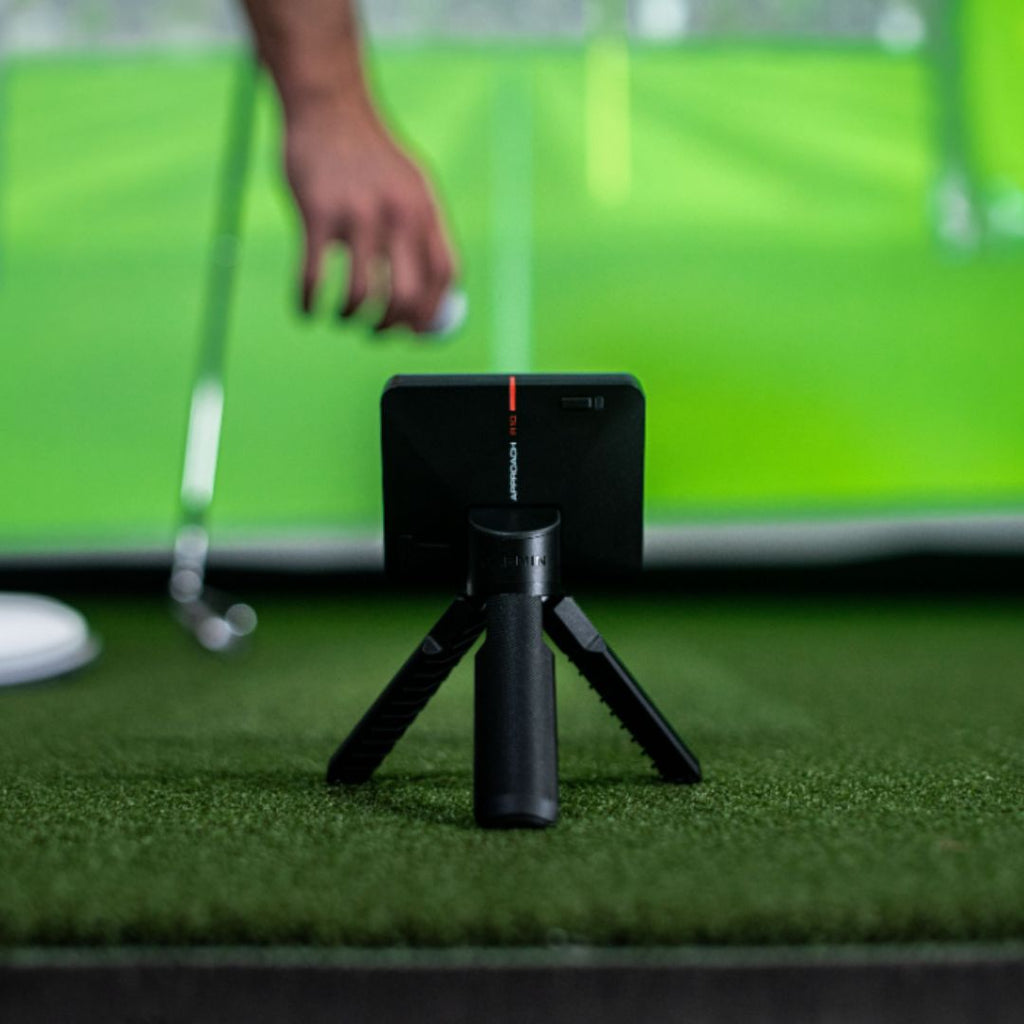 2. Garmin Approach R10 2. Garmin Approach R10 | Best fitA net bay | Check before buyingMatch the exact model to your room and software. | View Latest Price |
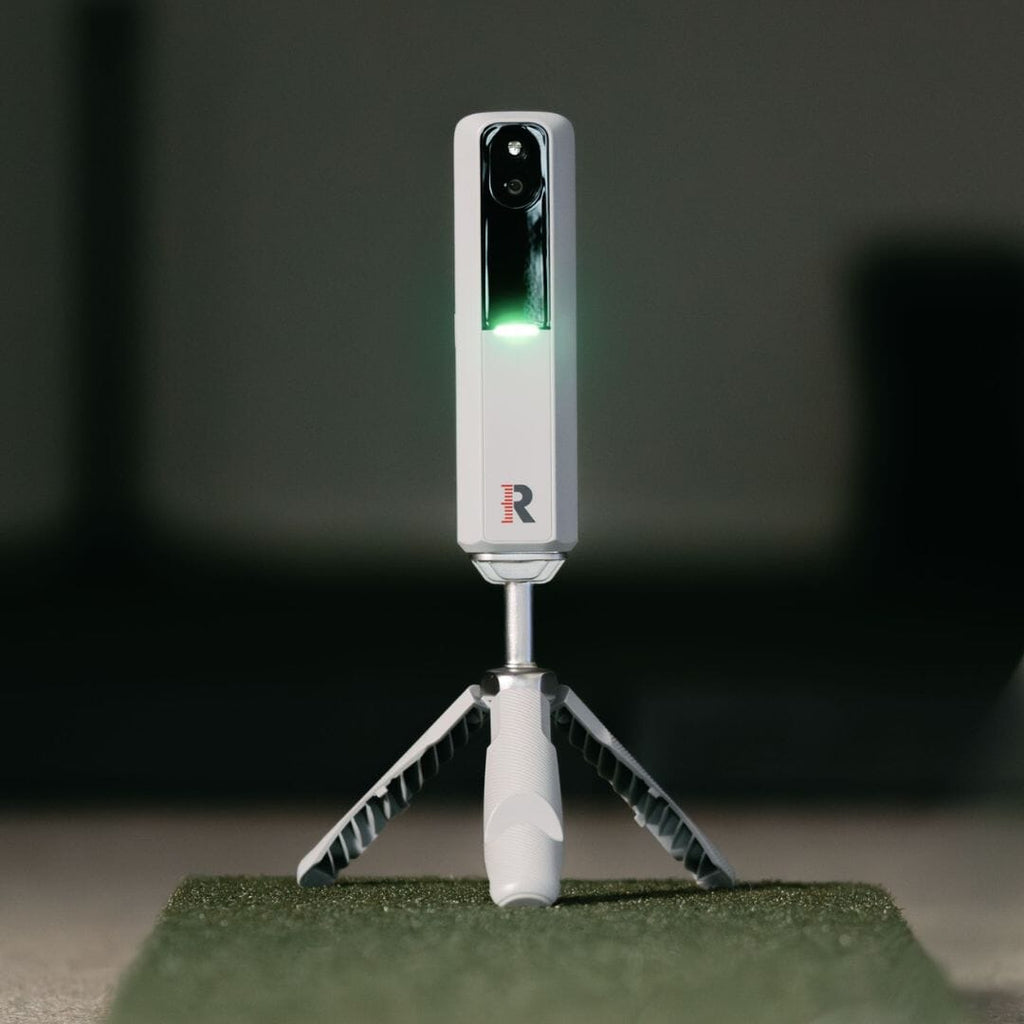 3. Rapsodo MLM2PRO 3. Rapsodo MLM2PRO | Best fitIndoors and outdoors | Check before buyingMatch the exact model to your room and software. | View Latest Price |
 4. FlightScope Mevo Gen2 4. FlightScope Mevo Gen2 | Best fitA long bay | Check before buyingMatch the exact model to your room and software. | View Latest Price |
 5. Bushnell Launch Pro 5. Bushnell Launch Pro | Best fitFitting-grade data | Check before buyingMatch the exact model to your room and software. | View Latest Price |
 6. Garmin Approach R50 6. Garmin Approach R50 | Best fitOne box, no PC | Check before buyingMatch the exact model to your room and software. | View Latest Price |
A golf launch monitor is a sensor that reads your ball, and usually your club, in the fraction of a second around impact. It turns that moment into numbers: ball speed, launch angle, spin rate, club path. Every unit sold today does this in one of two ways, and that single split decides how much room you need, what the numbers are worth, and which brands are even on your list.
Pick the sensing method first. Pick the brand second. Almost every unhappy buyer got that order backwards, bought on the badge, and then found out their room could not feed the sensor. Measure your space before you shop, then run your build through the cost calculator so the sensor and the room get budgeted together.
| Shortlist | Sensing method | Room it suits | Best reason to choose it |
|---|---|---|---|
| SkyTrak ST MAX | Camera | Short indoor room | Direct spin measurement without radar run-out |
| Garmin Approach R10 | Radar | Net bay with tracking distance | Portable feedback without a projector or PC |
| Rapsodo MLM2PRO | Camera + radar | Indoor and outdoor use | One portable unit for both settings |
| FlightScope Mevo Gen2 | Radar + image processing | Long bay or range | More real flight to measure |
| Bushnell Launch Pro | Camera | Permanent fitting room | Repeatable ball and club-delivery data |
| Garmin Approach R50 | Three cameras | On-unit practice and course display | Screen and shot measurement in one box |
The table is a room filter, not a universal ranking. If your room is short, start with the camera rows. If the unit will live at the range or in a long bay, keep radar in the comparison. Each product name jumps to our detailed fit notes and current retailer link.
How a Golf Launch Monitor Reads Your Shot
There are two honest answers to "how does it know". One watches the ball fly. One photographs the ball leaving.
Radar sends out a Doppler signal, listens to what bounces back off the moving ball, and tracks it through a stretch of real flight. From that flight it works backwards to speed, launch and spin. More flight seen means better math.
Photometric, which everyone calls camera-based, fires a burst of high-speed images in the instant around impact. It measures the ball directly off those pictures: how fast it left, at what angle, spinning which way. It never needs to see the ball land.
Neither method is better in the abstract. They fail in opposite ways, and your room decides which failure you can live with.
Radar vs Camera: The Split That Decides Everything
Radar needs flight to be right. Put a radar unit in a short room and it sees the ball for a few feet before the screen swallows it, then predicts the rest. The numbers still appear, and they look confident, but you are reading a forecast built from a sliver of data. Spin suffers first, and spin is what makes a simulator shot behave.
Camera units have the opposite problem. They do not care about your room length at all, because the measurement is over before the ball has travelled a yard. What they care about is placement.
Foresight publishes a hitting zone of 18 by 14 inches for the GCQuad and 7 by 10 inches for the GC3. Bushnell lists 7 by 10 inches for the Launch Pro. Put the ball outside that box and you get nothing at all, which is at least an honest failure.
Some units now run both. FlightScope's Mevo Gen2 pairs 3D Doppler radar with synchronised image processing, a hybrid the company calls Fusion Tracking. Hybrids exist because each method patches the other's weak spot.
A practical rule: if your room is short and you cannot fix that, camera. If you have real length behind the ball, or you practise outside a lot, radar earns its place. The room-size math on the space guide will tell you which camp you are in before you spend anything.
Ball Data vs Club Data, and Which You Need
This is the second fork, and it separates people who want to see their shots from people who want to fix them.
Ball data is where the shot went. Ball speed, launch angle, spin rate, spin axis, carry, total distance, apex. This is everything a simulator needs to put a realistic shot on the screen, and everything most golfers need to know their real carry numbers.
Club data is why it went there. Club head speed, club path, face angle, angle of attack, smash factor, impact location. Fitters and coaches live here. Foresight lists club head speed, smash factor, club path and angle of attack on the GC3, and adds loft, lie, face angle, impact location and closure rate on the GCQuad.
The parameter counts tell a story on their own. FlightScope lists 20 ball and club parameters on the Mevo Gen2 against 8 on the original Mevo, and sells a Pro Package that adds 11 more, including club path, face angle and low point.
Be honest about which one you will use. Plenty of golfers buy full club data, look at it for a fortnight, then spend the next three years reading carry distance. If that is you, put the money into the mat and the screen instead. The parts breakdown shows where that money does more good.
How Much Room a Launch Monitor Really Needs
Room length is the constraint that kills more builds than budget does.
Radar units sit behind the golfer and need clear space in both directions. FlightScope asks for 7 to 9 feet between the Mevo Gen2 and the tee, with unrestricted ball flight for full outdoor readings. Add your swing space and the distance to the screen and a radar bay gets long quickly.
Camera units sit beside the ball, so the room only has to hold your swing, your safety margin and the screen. That is why tight garages and spare bedrooms end up camera-based. One overhead unit, GOLFJOY's GDS Pro, lists a minimum hitting distance of about 2 yards from the hitting position to the screen or net.
Three measurements decide everything, and you should take all three before you shop:
- Ceiling height. The one nobody measures until it is too late. Full driver swings need more headroom than people guess, and the ceiling height guide has the real numbers by height.
- Room length. How far back the room runs behind the ball. This is the number that rules radar in or out.
- Width. Enough for a full swing plus a margin, and more if left-handers will play too.
If your room fails on ceiling height, no launch monitor fixes it. Basements are the usual culprit, and the basement build guide covers what can and cannot be worked around. When the room truly will not hold a full swing, an indoor putting green turns the same square footage into practice that still lowers scores.
Indoors vs Outdoors: Why One Unit Reads Two Ways
The same sensor can give you two different standards of data depending on where it sits, and this catches people who test outside then build inside.
Outdoors, a radar unit gets what it was designed for: a long, uninterrupted look at real ball flight. It measures rather than predicts, and the numbers are as good as that unit gets. FlightScope's own space guidance reflects this, asking for 7 to 9 feet between the Mevo Gen2 and the tee with unrestricted flight for full outdoor readings.
Indoors, the screen ends the flight after a few feet. The radar sees a fragment and models the rest. Carry and total distance are still useful, but spin is the number that drifts, and spin is what decides whether a simulated shot curves left, holds a green, or balloons.
Camera units are almost indifferent to the question. The measurement happens at impact, before the room can interfere, so a garage bay and a driving range produce the same reading.
This is why hybrids exist. FlightScope's Fusion Tracking pairs radar with synchronised image processing precisely to shore up the indoor case, and the company points to independent testing from retailers including Carl's Place. If you will play indoors nine months a year, weight your decision to how the unit behaves indoors, not to a range demo on a summer afternoon.
Simulator Software and Subscriptions
The sensor is half the purchase. The software it talks to is the other half, and it is where the ongoing commitment hides.
Some units bundle courses outright. FlightScope ships an 8-course E6 Connect bundle with the Mevo Gen2 and states that core data parameters, firmware updates and software fixes carry no subscription. Others gate course play, shot history or club data behind an annual plan, or behind a one-off paid upgrade like the Pro Package.
Three questions answer this before you commit:
- What is locked? Course play, club parameters and cloud shot storage are the usual paywalls.
- What does it talk to? Check the unit works with the simulator platform you actually want, not just the maker's own app.
- What happens if you stop paying? On some setups the hardware still reads shots. On others you lose the part you bought it for.
Software is a running commitment rather than a one-off, so budget it as one. The full cost breakdown treats it that way.
A specialty indoor golf retailer that bundles launch monitors with matched simulator software
Golf Launch Monitor Tiers by What You Want to Do
Forget brand hierarchies. Sort by the job.
Tier 1: the practice app user. You want carry numbers on a phone or tablet, mostly at the range or in the garden. Ball data is enough. Portability and battery matter more than club parameters. Many golfers in this tier hit into a net and never build a screen at all, which the net guide covers properly.
Tier 2: the home simulator builder. You want a picture on a screen and shots that behave like your real ones. Reliable spin is the thing to buy here, because spin is what makes the simulated ball fly true. This tier is where camera units dominate, because the rooms are short. Pair the unit with a screen that survives a driver, which the impact screen guide explains, and a floor that saves your joints, covered in the flooring guide.
Tier 3: the serious fitter or coach. You need full club data, repeatable to the decimal, session after session. Impact location, closure rate, low point. Multi-camera units and tour-level systems live here. If you are fitting other people's clubs, this is not optional.
Most home golfers are Tier 2 and buy Tier 3. Being honest about your tier is the single biggest saving available, and it costs nothing.
Browse current launch monitors at Indoor Golf Shop
The Six Units Worth Shortlisting
Named units now, ordered by the room each one suits, starting with the one that fits the most homes.
1. SkyTrak ST MAX — the safe pick for a normal room
Most home bays are shorter than their owners would like. This unit does not care. It reads the ball photometrically at the moment of impact, so it does not need the run-out that radar wants, and it sits beside the ball rather than behind you, which means it never has to share the space your backswing is using — a genuine problem in a narrow garage.
The part that matters most indoors is spin. Radar has to infer spin from a fragment of flight in a short room, and it drifts. A camera unit reads it off the ball directly, so the number holds up and your practice is comparable week to week.
Best for: a garage, a basement or a spare room, and anyone building a screen bay rather than a net one. Not for: hitting on an open range, where radar has all the flight it wants.
2. Garmin Approach R10 — the net bay unit
If your build is a net, a mat and a tablet, this is the natural place to start. It is radar, it pairs to a phone, and nothing else in the room needs a PC or a projector before you can use it. In a net build there is no ball flight to watch, so the readout is your only feedback — which makes a monitor more valuable in a net bay than in a full one, not less.
The thing to check before you buy is the gap. Radar wants real distance between the unit and the ball, and a unit that cannot see the flight properly still reports numbers; it just predicts more of them. Measure it, do not estimate it.
Best for: a net bay, a first monitor, and anyone who wants numbers without rebuilding the room.
3. Rapsodo MLM2PRO — indoors and outdoors
The one to buy if the unit has to do two jobs. It pairs a camera with radar, so it has a way to read the ball whether it is looking at a few feet of indoor flight or a full one at the range. Indoors it uses marked balls to pin spin down, which is the number every phone-based unit finds hardest.
It runs off a phone or tablet, so it goes to the range on Saturday and back into the garage on Tuesday without any of it being a project.
Best for: someone who practises in both places and does not want to own two units.
4. FlightScope Mevo Gen2 — for a long bay
If your room is genuinely long, radar stops being a compromise and starts being the better tool. Doppler radar sitting behind you reads a real stretch of flight rather than predicting it, and it carries a wide set of swing parameters. FlightScope publishes the gap it wants between the unit and the tee, and that figure is a requirement, not a suggestion.
Some club measurements sit behind a paid upgrade rather than being included, so check what you are getting before you rely on a particular number.
Best for: a long bay, a barn, a garage with the door open, or anyone who mostly practises outdoors.
5. Bushnell Launch Pro — fitting-grade data
This is the step from scoring a shot to understanding it. Photometric measurement built for repeatability, which is the real difference at this tier: the same strike reads the same twice. It reads club delivery as well as ball launch, so it tells you why a shot went where it did.
It is designed to be set up in a fixed position and left there. It rewards a finished room and punishes an unmeasured one, so this is not the unit to buy while the bay is still being argued about.
Best for: a permanent room, lessons, club fitting, and anyone rebuilding a swing rather than tracking one.
6. Garmin Approach R50 — one box, no computer
The R50 combines three high-speed cameras with its own touchscreen. That makes it worth comparing when you want numbers and compatible course play on the unit rather than setting up a projector immediately. Its on-unit course features can require Garmin Golf membership, and third-party simulation software can still require a separate computer. Choose the software path before assuming the display removes every other device.
Best for: a room where simplicity is the point. Not for: someone who was going to build a screen bay anyway — if a projector and a screen are already in the plan, you are paying for a display twice.
Where the Other Names Sit
Uneekor is known for overhead camera units, which keep the floor clear and read every shot without repositioning. Foresight makes the multi-camera GC3 and GCQuad, standard equipment in a lot of fitting bays. TrackMan is the tour-level radar benchmark, the unit other units get measured against. Names are shorthand for engineering choices, not rankings. A Foresight and a TrackMan are both excellent and almost nothing alike.
If you are comparing new units, browse current launch monitors at Indoor Golf Shop after narrowing the list by room and sensing method. Used-equipment buyers should stay with the inspection rules on the used-market guide.
How to Match a Launch Monitor to Your Room
Do this in order and you will not get it wrong.
Step 1: Measure. Ceiling height, room length, width. Write them down. Every later decision follows from these three numbers.
Step 2: Rule out a sensing method. Short room means camera. Long room or mostly outdoors means radar is back on the table.
Step 3: Decide ball-only or ball-and-club. Be honest. If nobody in the house is rebuilding a swing, ball data is plenty.
Step 4: Check the software commitment. What is locked, what it connects to, what breaks if you stop paying.
Step 5: Budget the room, not just the sensor. Screen, mat, floor, projector and wiring are not afterthoughts. Run the whole thing through the cost calculator rather than pricing the sensor alone.
Only at step 6 do you pick a brand. By then the list has usually narrowed to two.
Once the monitor and room measurements are settled, compare enclosure and screen options at Indoor Golf Shop rather than choosing a frame before you know the stance and projector throw.
Mistakes That Waste a Season
Mistake 1: buying radar for a short room. The most common one. You get numbers that look fine and are quietly wrong, and you practise against a lie.
Mistake 2: buying club data you will never read. Full club parameters are wonderful and pointless if you only ever check carry.
Mistake 3: ignoring the ball. Some units want marked or metallic-dot balls to read spin properly. That is a running commitment, not a one-off.
Mistake 4: forgetting the ceiling. No sensor compensates for a room you cannot swing in.
Mistake 5: pricing the sensor alone. The launch monitor is the biggest line item in a build, but it is not the only one. Second-hand gear closes the gap faster than most people expect, and the used gear guide covers what is safe to buy that way. Builders doing the room themselves should start with the DIY build costs.
The Verdict on Choosing a Golf Launch Monitor
The right golf launch monitor is the one your room can feed. That is the whole answer. Radar wants length behind and in front of the ball and rewards you with true outdoor flight. Camera units want the ball in a small box and reward you with numbers that do not care how short your garage is.
Work out which of those two your house allows, decide whether you genuinely need club data or just ball data, then check what the software locks away. Brands come last, and by that point most golfers are choosing between two units that would both do the job.
Measure the ceiling first. It has ended more simulator plans than any other number. The free Golf Simulator Build Planner has the measuring worksheet and a room checklist on one page, and the governing bodies' equipment and handicap rules sit with the USGA if you want to know how your indoor numbers relate to your real game.
Quick answers
What is the best golf launch monitor for a home simulator?
For most indoor rooms, a camera-based unit. The SkyTrak ST MAX is the straightforward pick because it photographs the ball at impact and does not need a long run of flight to work from. If your bay is long, or you will also use it outdoors, a radar unit like the FlightScope Mevo Gen2 gives you more of a real flight to measure.
Is radar or camera better for indoor golf?
Camera, in most rooms. Radar works by watching the ball fly and doing maths on what it saw. Indoors it only sees a few feet, so it predicts the rest. A camera unit measures the ball directly as it leaves the club, so a short room does not cost it anything.
How does a golf launch monitor work?
It measures the ball, and sometimes the club, in the split second around impact. Radar units bounce a signal off the ball and watch it fly, then work backwards to the numbers. Camera units fire a burst of high-speed images at impact and measure the ball directly from those pictures.
Do I need a launch monitor that measures club data?
Only if you are fixing your swing rather than tracking your shots. Ball data tells you where the shot went and how far. Club data tells you why. Club path, face angle and angle of attack matter to fitters and coaches. Most home simulator players get by on ball data.
How much room does a launch monitor need?
Radar units want the most. FlightScope asks for 7 to 9 feet between the Mevo Gen2 and the tee, and the unit sits behind you rather than beside you. Camera units read the ball at impact instead, so they work in shorter rooms, but the ball has to sit inside a small hitting zone.
Do launch monitors need a subscription?
Some do and some do not. FlightScope says core data, firmware and software fixes on the Mevo Gen2 carry no subscription, while extra club parameters come as a paid upgrade. Other brands gate course play or shot storage behind an annual plan. Check what is locked before you buy.
Can one launch monitor work indoors and outdoors?
Most modern units handle both, but they behave differently. Radar outdoors gets full ball flight and its best accuracy. Indoors it sees only a few feet of flight and predicts the rest. Camera units barely notice the difference because they read the ball at impact either way.