Cost Guide
Golf Simulator Budget Breakdown: Parts, Room Prep and Five-Year Costs
As an Amazon Associate, this website earns from qualifying purchases.
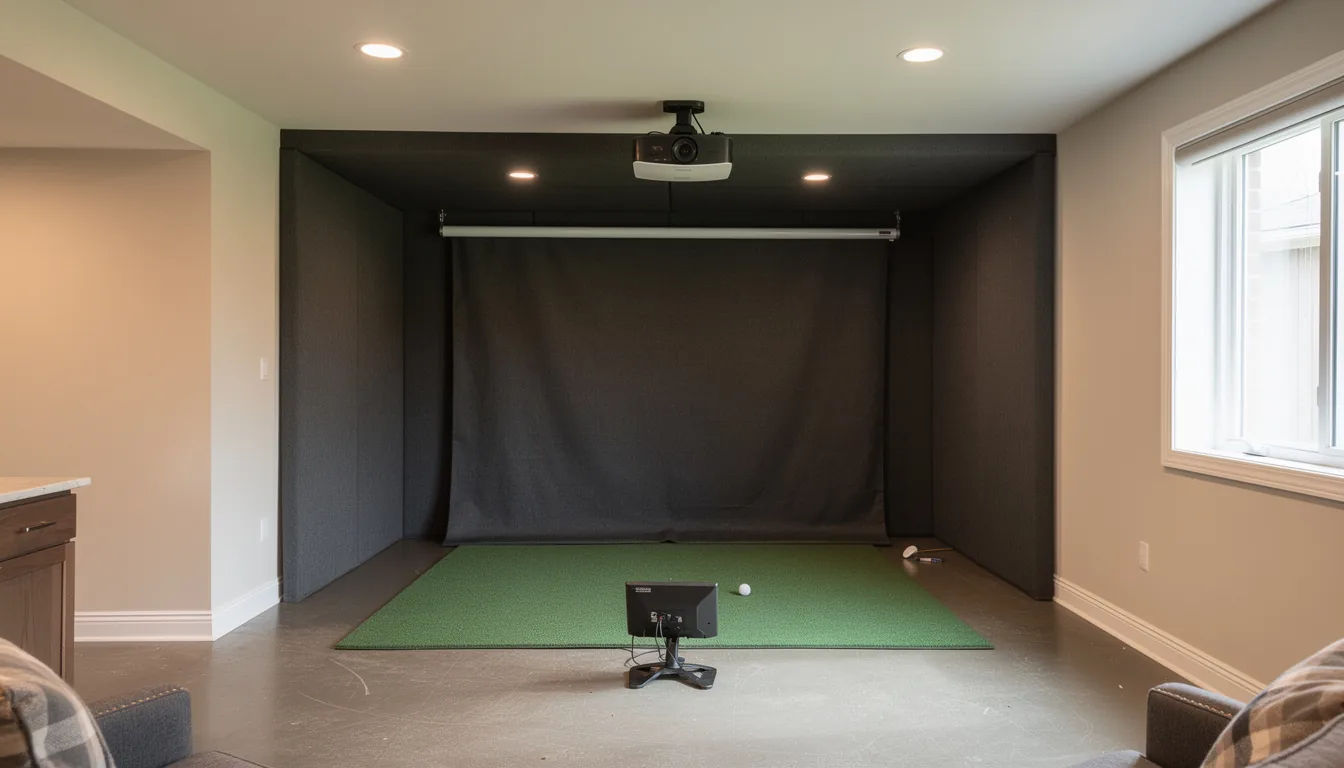
A golf simulator costs $700 to $1,500 for a net-and-mat build, $1,000 to $3,000 for an entry screen build, $3,000 to $8,000 for the mid build most home golfers land on, $8,000 to $25,000 for a premium room, and $25,000 or more for turnkey and commercial gear. By room, a garage build lands at $3,000 to $5,000 all-in and a basement at $5,000 to $10,000.
Sections11
- The Five Build-Budget Tiers
- Why the Launch Monitor Drives Golf Simulator Cost
- What the Rest of the Build Costs
- The Costs Nobody Quotes You
- Home Golf Simulator Cost by Room Type
- Software, Balls and the Costs That Never Stop
- How to Set a Budget That Survives Contact
- Where to Cut and Where Not To
- Three Real Golf Simulator Cost Examples
- Is the Money Worth It
- The Verdict on Golf Simulator Cost
Start with the golf simulator cost guide for the headline price ranges and the setup that fits your room. This supporting budget breakdown shows where the money goes, what room work gets missed, and what the first five years can cost. The 2026 golf simulator cost data index documents the inputs and separates published prices from inferred planning bands. The build cost calculator itemizes the same decisions by budget and room size in about ten seconds.
A practical home-build budget lands between $700 and $25,000 for nearly everybody, and the spread is not random. A net, a mat and a budget launch monitor runs $700 to $1,500. The build most home golfers actually end up with, meaning an impact screen, a projector and a camera-based launch monitor, runs $3,000 to $8,000. Premium rooms with paid install run $8,000 to $25,000. Above that you are buying turnkey or commercial gear, where $25,000 to $70,000 is normal.
The number that matters is not the sticker on any one box. It is the complete compatible basket, including the launch monitor and the room work almost nobody prices before they start. Our 2026 cost data index puts the monitor at 18 to 46 percent across two itemized projector baskets and two manufacturer bundle comparisons. Run your own numbers in the cost calculator, then read on for what each tier really buys.
The Five Build-Budget Tiers
Every build falls into one of five bands. Pick your band first and shop inside it, because mixing a $500 launch monitor with a $600 screen is how people waste money.
Tier 1, under $1,000: net and mat. A hitting net at $150 to $300, a hitting strip or mat at $50 to $250, and an entry launch monitor at $400 to $700. You read ball speed and carry off a phone or tablet. No projector, no screen, no picture. It is the honest floor, and it is real practice.
Tier 2, $1,000 to $3,000: entry screen build. Now you add a picture. A budget short-throw projector runs $400 to $900, a DIY enclosure kit with an impact screen runs $400 to $1,200, and the launch monitor moves up toward the $1,000 to $2,000 camera units. Most builds here land around $2,000 to $2,500.
Tier 3, $3,000 to $8,000: where most people land. A camera-based launch monitor at $1,500 to $2,500, a proper enclosure at $800 to $1,500, a 4K short-throw projector at $1,200 to $1,500, a better mat at $250 to $950, a gaming PC at $800 to $1,200, and first-year software at $250 to $600. Add real room prep and you are at $5,000 to $8,000.
Tier 4, $8,000 to $25,000: premium room. Pro-grade photometric launch monitors run $2,500 to $6,000, pre-built enclosures run $3,099 to $3,999 in the common sizes, a laser projector runs $3,500 to $4,000, and paid install runs $1,500 to $5,000. Finished flooring and lighting push the rest.
Tier 5, $25,000 and up: turnkey and commercial. Built-in units from the big cabinet makers start around $17,500 and climb past $69,500 for curved-screen rooms. Tour-level radar starts near $15,000 for the unit alone. This is a room built by someone else, delivered working.
If you are still deciding which band your house can even hold, the room-size math on the space guide will rule out a tier or two before you spend anything.
Why the Launch Monitor Drives Golf Simulator Cost
One line item sets the shape of everything else. The launch monitor is the only part that has to measure the shot, and its tracking method decides where the golfer stands. Its share of total price varies: the 2026 data index measures 18 to 46 percent across two itemized projector baskets and two manufacturer bundle comparisons, and more in a stripped-down net setup.
Prices as of mid-2026 run roughly like this:
- Entry radar and phone-camera units, $400 to $700. Garmin's Approach R10 sits near $499 and Rapsodo's MLM2PRO near $699. Both need real room length behind the ball, often 14 to 18 feet, because radar has to watch the ball fly.
- Mid camera units, $1,000 to $2,500. SkyTrak+ and SkyTrak ST MAX sit near $1,995, Uneekor's EYE MINI CORE near $1,499, and Bushnell's Launch Pro near $2,499. Camera units work in 8 to 10 feet of room length, which is why tight rooms end up here.
- Pro-grade, $4,000 to $9,000. Foresight's GC3 sits near $5,999 and Uneekor's overhead EYE XO2 near $9,000.
- Tour-level, $15,000 and up. TrackMan units start around $15,000 for the hardware and climb from there. You can read the specs straight from TrackMan and Garmin rather than trusting a reseller's summary.
The trap is buying the cheapest unit your room cannot feed. Radar in a 12-foot room gives you numbers, but not numbers you can trust. Read the launch monitor buying rules before you match a unit to your space, because room length decides this more than budget does.
What the Rest of the Build Costs
Everything that is not the launch monitor is fabric, foam, metal, glass or a PC. Those prices have fallen hard over the last five years, which is why the old $20,000 rumour is out of date.
- Impact screen, $250 to $600. Standard polyester sits near $250, silicone-reinforced near $400, three-layer near $600. The impact screen guide covers which fabric survives a driver.
- Enclosure or frame, $80 to $4,000. A DIY pipe frame runs $80 to $150 in materials. A cut-to-size kit runs $400 to $1,500. Pre-built cabinets run $3,099 to $3,999 in the common 8, 10 and 12-foot widths. Sizing rules live in the enclosure guide.
- Hitting net, $150 to $300. Cheaper than a screen and quieter. Good nets and their real-world lifespan are covered in the net guide.
- Hitting mat, $50 to $950. Budget strips start near $50, the popular mid mats run $200 to $350, and studio mats run around $949. Your wrists will notice this line item more than any other.
- Projector, $400 to $4,000. A 1080p short-throw runs $700 to $900, a 4K short-throw runs $1,200 to $1,500, and a 4K laser runs $3,500 to $4,000. Below about $600 the picture gets bad enough to spoil long sessions.
- PC or tablet, $0 to $2,800. An existing gaming PC may be fine. A fresh mid build runs about $1,100 to $1,200, and a high-end one runs $1,900 to $2,800.
- Floor turf and padding, $200 to $1,200. Basic turf runs $300 to $600 for a 10 by 15 area. Full turf with padding runs $800 to $1,200. The flooring guide covers the levelling problem most people hit in a garage.
The full parts list with sizing rules sits in the gear breakdown, and the numbers above are typical retail ranges, not quotes. Verify current pricing before you buy anything.
The Costs Nobody Quotes You
This is where budgets break. A buyer who plans to spend $5,000 often spends $7,000 to $8,500 once the room work is done.
Electrical. A dedicated circuit for the projector and PC runs $300 to $800 installed. If your panel is full, add $800 to $2,000 for the upgrade. Wiring rules come from the National Electrical Code, published by the NFPA, and this is one job worth handing to a licensed electrician.
Ceiling. Exposed joists that need finishing to reach a usable 9-foot clearance run $1,000 to $3,000. That single number kills more basement builds than any other. Measure first with the ceiling-height clearance math, because a 7-foot 6-inch basement is a different project than an 8-foot 6-inch one.
Heat and air. Garages and unfinished basements need both. A small electric heater runs $50 to $150. A mini-split that heats and cools runs $500 to $2,000. Garage builds also want door insulation at $100 to $200.
Sound. A ball hitting a screen at 150 mph is loud through the whole house. Acoustic panels or foam run $200 to $600.
Paint and contrast. Some camera units want specific background contrast on the impact wall and floor. Paint and materials run $100 to $300.
Install. Paying someone to mount, wire and tension everything runs $1,500 to $5,000. Doing it yourself takes an afternoon to a weekend.
Added up, room prep that people budget at $0 to $500 usually lands at $1,000 to $2,000. Garage and basement builds have their own quirks, and both the garage build guide and the basement build guide price them separately.
Home Golf Simulator Cost by Room Type
The tiers above price the gear. What follows prices the house, because the same parts list costs different money in a garage than it does in a basement. Pick your room honestly, then price it. Most people pick the room they want and find out the cost afterwards.
Garage, $3,000 to $5,000 all-in. Usually the cheapest path. Ceilings are often 9 feet or more, the slab is level, and nothing needs finishing. The extras are heat at $50 to $150 for a small electric unit or $500 to $2,000 for a mini-split, door insulation at $100 to $200, and a jackshaft opener at $200 to $400 if the existing opener sits where the enclosure needs to go. The door problem and the full numbers are in the garage build guide.
Basement, $5,000 to $10,000 all-in. Better light control and better sound isolation, worse ceilings. If the joists are exposed and need finishing to reach usable clearance, that alone is $1,000 to $3,000. Dehumidifying and levelling an older slab adds more. The basement build guide covers the clearance workarounds.
Bonus room over the garage, $4,000 to $8,000 all-in. Often the best compromise: real walls, real power, and a floor already rated for load. The catch is sloped ceilings, which usually push the hitting position off-centre and cost swing room.
Spare bedroom, $2,000 to $4,000 all-in. Standard 8-foot ceilings are the problem. Most builds here end up as a net and a camera launch monitor rather than a projector and screen. It works, and it is quiet.
Shed or outbuilding, $6,000 to $15,000 all-in. You are buying or building the room as well. Only worth it if the structure earns its place for other reasons.
Three rounded first-year examples, room work included. The $3,200 garage build: entry camera or run-out radar launch monitor at $1,100, cut-to-size enclosure and screen at $700, 1080p short-throw projector at $800, mid mat at $250, an existing PC or tablet, first-year software at $100, heater at $120, lighting at $130. The $7,900 basement build: camera launch monitor at $1,995, cut-to-size enclosure with a better screen at $1,350, 4K short-throw projector at $1,300, studio mat at $500, gaming PC at $1,100, first-year software at $250, ceiling and electrical work at $700, turf at $400, sound panels at $300. The $2,400 spare-bedroom build: camera launch monitor at $1,499 because the room is short front-to-back, good net and frame at $300, mid mat at $250, an existing tablet as the display, first-year software at $150, sound panels at $200.
The Family Cost Nobody Prices
The line item that never appears on a quote is what the room stops being. A garage build means one car outside all winter. A basement build usually eats the space the kids had. A spare bedroom build means no spare bedroom. Three tradeoffs worth settling before you spend:
- Shared use or dedicated. A build you tear down and reassemble gets used less. Every time. If the room has to double as something else, buy a net setup you can leave standing in a corner rather than a full enclosure you dismantle.
- Noise windows. Screen builds are loud. If the only time you can practise is after bedtime, the sound budget stops being optional.
- Who else plays. A mat that suits your swing may be wrong for a junior. Foam balls and a shorter net let the rest of the house use it without supervision.
Settle those three and you will know whether you are buying a $3,000 corner or a $9,000 room. Before you commit to a room at all, run the room-size requirements against a tape measure. It is the cheapest hour of this project.
Software, Balls and the Costs That Never Stop
Hardware is a one-time hit. Software is rent. Budget $200 to $750 a year, every year, on top of the build.
- Simulator software. The popular subscription platforms run about $250 a year, with wider course libraries at $300 to $600 a year. One major platform sells outright for roughly $1,000 with no annual fee.
- Launch monitor platform plans. Some units charge their own yearly fee before the simulator software even starts. These run $99 to $599 a year depending on the tier. Stacking both is how people end up paying over $1,000 a year in software alone.
- Marked practice balls. Several launch monitors want specially marked balls indoors, at roughly $50 to $70 a dozen. Real-world use is $50 to $200 a year.
- Consumables. Club marker stickers for some camera units run $30 to $60 a refill pack.
Over five years, a build that cost $10,000 on day one reaches $10,800 to $13,000 at that annual allowance. Price the subscription before you pick the launch monitor, not after.
How to Set a Budget That Survives Contact
Work in this order and you will not have to rebuild anything.
Step 1: Measure the room. Width, front-to-back length, and ceiling clearance with your driver at the top of the swing. The room decides the launch monitor, and the launch monitor decides the budget.
Step 2: Add 25 percent for room prep. Whatever your parts list totals, add a quarter of it for electrical, ceiling, flooring and lighting. If you come in under, good.
Step 3: Price year one and year five. Add the software and ball costs for five years to your hardware number before you decide anything is affordable.
Step 4: Buy the launch monitor one tier above your comfort. The single most common expensive mistake is buying entry, using it four times a week, and upgrading within six months. That churn costs $500 to $1,500 net once you account for the resale hit.
Step 5: Leave the extras for later. A putting green, better lighting and wall padding can all come next year. The putting green cost guide and the indoor putting green guide will still be there.
Work through those five steps on paper and you will catch the ceiling problem before you have a projector in a box in your hallway.
Where to Cut and Where Not To
Some savings are free. Others cost you the whole build.
Cut here:
- Assemble the enclosure yourself. A cut-to-size kit at around $1,350 against a comparable pre-built cabinet at around $3,099 saves roughly $1,750 for a few hours of work. Price an enclosure and screen kit from an approved indoor-golf retailer against a pre-built cabinet before you commit.
- Skip the laser projector. In a room where you can control the light, a $849 short-throw does the job a $3,750 laser does. That is $2,900 you can put into the launch monitor.
- Buy the launch monitor used. Certified pre-owned and private-sale units run 20 to 40 percent below new, and a certified used launch monitor from a specialty golf retailer usually ships with a warranty a private seller cannot give you. The used market guide covers what is safe to buy second-hand and what is not.
- Do your own install. Four to eight hours of work against $1,500 to $5,000 for a paid install.
Do not cut here:
- The mat. A $50 strip on a concrete floor is a wrist injury waiting to happen. Spend $200 minimum.
- The projector floor. Below $600 the picture washes out and you stop using the room.
- Room length for radar. If you buy radar for a short room, you have bought numbers you cannot trust.
- Electrical. Sharing a circuit with a freezer or HVAC unit means brownouts mid-session.
A full DIY build against a packaged one is its own calculation, and the DIY cost breakdown runs the numbers line by line.
Three Real Golf Simulator Cost Examples
Rounded, first-year, including room prep. These are typical builds, not quotes.
The $1,500 practice build. Entry radar launch monitor at $499, net and basic frame at $300, mid mat at $220, free bundled app, marked balls at $100, minimal room prep at $200, cables and lighting at $150. Ongoing cost is about $150 a year.
The $6,000 mid build. Mid-range camera or run-out radar launch monitor at $1,299, cut-to-size enclosure with a better screen at $1,350, 1080p short-throw projector at $849, mid mat at $250, gaming PC at $1,100, first-year software at $250, basic electrical and lighting at $500, turf at $300, accessories at $200. Ongoing cost is about $350 a year.
The $14,000 premium build. Photometric launch monitor at $2,499, pre-built 10-foot cabinet at $3,599, 4K short-throw projector at $1,399, studio mat at $949, high-end PC at $1,900, first-year platform plan at $499, room prep at $800, turf and padding at $900, projector mounting and wiring at $1,000, accessories at $300. Ongoing cost is about $900 a year.
Notice what moved between build two and build three. The launch monitor doubled, but the room work and the enclosure did most of the damage.
Is the Money Worth It
That depends entirely on how often you swing. A mid build with a five-year cost near $7,500 works out to about $1,500 a year. At a $60 green fee, that is roughly 25 rounds a year you would otherwise pay for.
Golfers who hit balls three nights a week through winter clear that bar without noticing. Golfers who set it up in March and stop in May do not. The gear does not decide this. Your schedule does.
Range habits count too. If you spend $80 a month on range balls, that is $960 a year the simulator can absorb. Add the rounds you skip because of weather or daylight and a mid build pays for itself inside two years.
The Verdict on Golf Simulator Cost
Golf simulator cost is a room problem wearing a gear problem's clothes. The gear ranges are settled: $700 to $1,500 for net and mat, $1,000 to $3,000 for an entry screen build, $3,000 to $8,000 for the mid build most people land on, $8,000 to $25,000 for a premium room, and $25,000 or more for turnkey. The launch monitor share changes with the basket: two itemized projector baskets and two manufacturer bundle comparisons put it at 18 to 46 percent of the total, and a stripped-down net setup puts it higher.
What separates a build that comes in on budget from one that doubles is the ceiling, the floor and the wiring. Measure those three things before you shop. The room-by-room totals above are the version of this page to use once you know which room you are giving up, and the free Golf Simulator Build Planner has the measurement worksheet and the budget tiers on one page.
Where to go next from here: room size and clearance if the house is the open question, the gear breakdown if you are pricing parts, the launch monitor guide if the biggest line item is undecided, building it yourself or buying used if the total is over budget, and putting green costs if the short game is the part you actually want to fix.
One last honest note: nobody regrets spending more on the mat and the launch monitor. Plenty of people regret the projector they bought to save $300. Governing-body rules on equipment and handicaps sit with the USGA if you want to know how your indoor numbers relate to your real game.
Quick answers
How much does a golf simulator cost in total?
Most home builds land between $700 and $25,000. A net, mat and budget launch monitor runs $700 to $1,500. The screen-and-projector build most people end up with runs $3,000 to $8,000. Premium rooms with paid install run $8,000 to $25,000, and turnkey commercial units start around $25,000.
What is the cheapest golf simulator setup that still works?
About $700 to $1,000. That buys a hitting net, a decent hitting strip and an entry radar or phone-camera launch monitor in the $400 to $700 band. You read numbers off a tablet instead of a projected screen. It is real practice, just without the picture.
Why is the launch monitor such a big part of the price?
It is the only piece that has to measure the shot, so it carries much of the engineering cost. Its budget share still depends on the room. Two itemized projector baskets and two manufacturer bundle comparisons put it at 18 to 46 percent of the total, while a simple net setup can put more than half the spend into tracking.
What ongoing costs come after the build?
Plan on $200 to $750 a year. Simulator software runs about $250 a year for the popular options, some launch monitors need their own platform plan on top, and marked practice balls run $50 to $200 a year. If year one is already in the build price, four more years add $800 to $3,000 at that allowance.
How much does a home golf simulator cost by room?
Garage builds land at $3,000 to $5,000 all-in, basements at $5,000 to $10,000, a bonus room over the garage at $4,000 to $8,000, and a spare-bedroom net build at $2,000 to $4,000. The gear list barely changes between them. The ceiling, the floor and the wiring are what move the total.
Is a golf simulator cheaper than playing real golf?
It can be, but only if you use it. A $7,500 five-year build works out near $1,500 a year. At a $60 green fee that is roughly 25 rounds a year to break even. Golfers who hit balls twice a week clear that easily. Golfers who do not, never will.