Components
Golf Simulator Projector
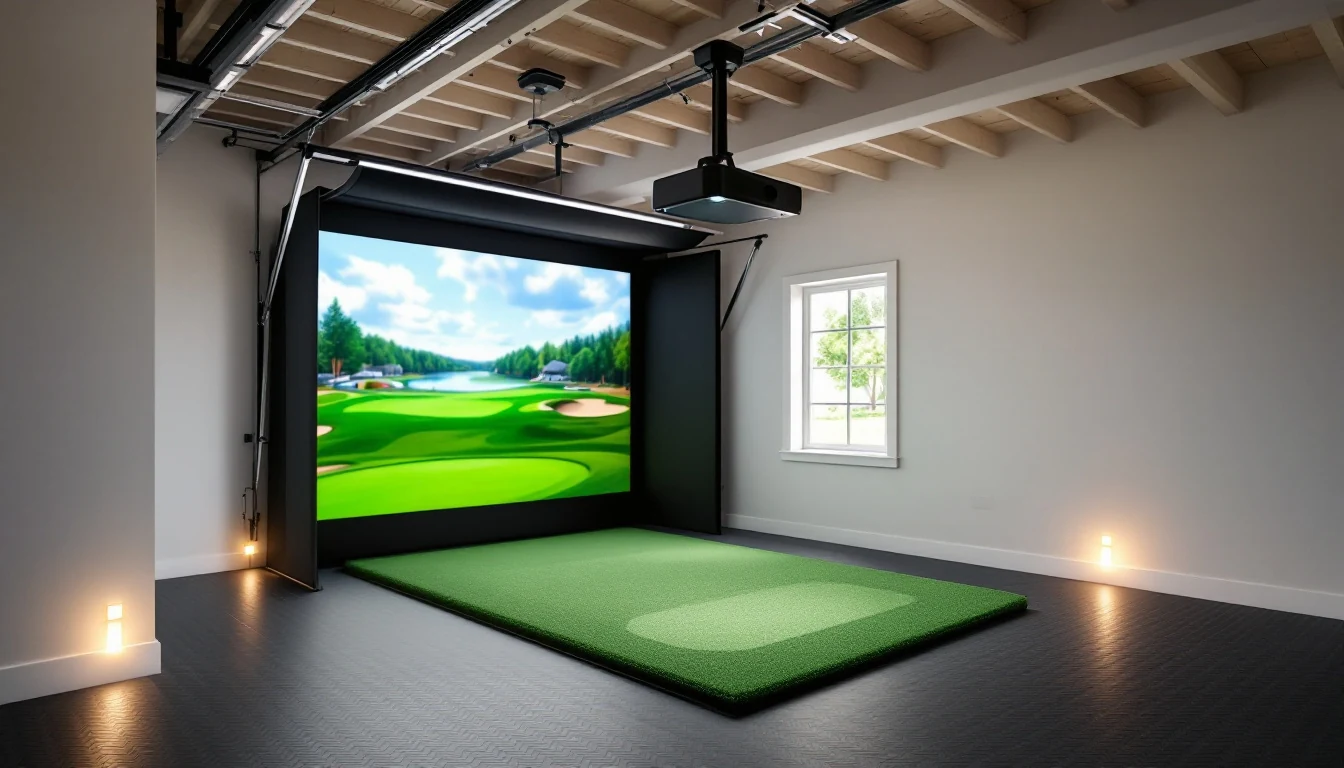
A golf simulator projector is the device that shows the course, the ball flight and your shot data on an impact screen in front of you.
This guide is part of Golf Simulator Components: The Full Parts List.
Sections8
A golf simulator projector is the device that shows the course, the ball flight and your shot data on an impact screen in front of you. The main things that set one projector apart from another for golf are throw distance, brightness, aspect ratio, resolution and how well it holds up when a ball strikes the screen near it. This article explains each of those features in plain terms, so you can see how a projector fits into a full simulator setup.
What a Golf Simulator Projector Does
A golf simulator has a few core parts. A launch monitor reads the ball and club. Software turns that data into a virtual shot. The projector then displays that shot on a screen so it looks like the ball is flying down a fairway.
The projector does not measure anything. It only shows the picture. Even so, it shapes how the whole setup feels. A dim, blurry or stretched image can make a good launch monitor feel less real. A clear image that fills the screen is designed to make the space feel more like a real hole.
The projector is just one of several parts that work together. For an overview of how it connects to the launch monitor, screen, enclosure, mat and computer, see the breakdown of golf simulator components.
Throw Distance and Throw Ratio
Throw distance is how far the projector sits from the screen. Throw ratio is a number that describes how wide the image gets at a given distance. These two ideas matter more in golf than in a home theater, because a golfer stands between the projector and the screen.
Projectors are often sorted into three groups:
- Long throw: These need a lot of distance to make a large image. They often sit behind the golfer. This can cause a shadow on the screen when the golfer stands in the beam.
- Short throw: These make a large image from a shorter distance. They are commonly mounted on the ceiling, above or just in front of the hitting area. This placement is designed to reduce shadows.
- Ultra short throw: These sit very close to the screen, often on the floor. They can work in tight rooms, but the unit may be in the path of balls, so some setups add a guard or cover.
Many golf setups use a short throw model on the ceiling. The goal is to get a full-size image without the golfer's body blocking the light. The right choice depends on room depth, ceiling height and where the golfer stands. Many projector makers publish a throw calculator or chart to help match the unit to a space.
Brightness, Contrast and Room Light
Brightness is measured in lumens. A brighter projector can show a clearer image in a room with some light, such as a garage with windows or a basement with overhead lights on. In a very dark room, a lower brightness level may still look fine.
Brightness interacts with screen size. The same projector will look dimmer on a larger screen, because the light spreads over more area. Impact screens also differ in how much light they reflect back. A screen with a smoother, tighter weave tends to show a sharper picture than a rough one.
Contrast is the difference between the darkest and lightest parts of the image. Higher contrast is designed to make details like the ball, the flag and the edges of the fairway stand out. Room light can wash out contrast, so many golfers try to control light with curtains, dark walls or dark enclosure panels.
There is no single brightness level that suits every room. How the image looks will differ from person to person and from space to space.
Aspect Ratio and Resolution
Aspect ratio is the shape of the image, written as width compared to height. Impact screens come in different shapes. Some are wide, like a modern TV. Others are taller and closer to a square. Matching the projector's native aspect ratio to the screen shape helps the image fill the screen with fewer black bars or wasted light around the edges.
If the shapes do not match, the image may spill onto the walls or leave empty strips on the screen. Some projectors can shift or zoom the image to help with fit. Others need to be moved physically.
Resolution is how many pixels make up the picture. Higher resolution can show finer detail, such as grass texture and distant trees. It also depends on the simulator software and the computer. A high-resolution projector will only show that level of detail if the software and graphics card can output it. Many golfers stand fairly close to the screen, so they may notice detail more than a viewer sitting across a living room.
Other Features That Affect Setup
Beyond the main specs, several smaller features can change how easy a projector is to install and use.
- Lens shift: This lets you move the image up, down or sideways without tilting the projector. It is designed to help line the image up with the screen when the mount spot is not perfectly centered.
- Keystone correction: This adjusts a picture that looks like a trapezoid because the projector is angled. It can help, but it may soften the image a little.
- Zoom: Optical zoom changes the image size without moving the unit. This gives more room for error when choosing a mount spot.
- Input lag: This is the small delay between the computer sending a frame and the projector showing it. Lower input lag means the shot appears on screen with less delay after impact.
- Light source: Projectors use lamps, lasers or LEDs. Lamps are commonly replaced over time. Laser and LED light sources are designed to last longer and may keep their brightness more steadily.
- Connections: Most units connect to the computer by HDMI. Ceiling mounts may need a long cable run, so cable length and quality can matter.
- Fan noise: A loud fan can be noticed in a quiet room. Some golfers check the listed noise level before choosing a model.
Mounting and Safety Around the Hitting Area
A projector in a golf space faces risks a theater projector does not. Balls can bounce off the screen, the floor or the frame. A club can also swing higher than expected. Because of this, placement is partly about safety for the device.
Ceiling mounts keep a short throw projector out of the main ball path. Some setups add a protective box or cage around the unit. Floor-placed ultra short throw models often use a cover or are set behind a barrier. A sturdy mount also helps keep the image from drifting out of line when the room shakes from impact.
Measuring the room before buying any part is a common first step. Ceiling height, room depth and swing space all affect where a projector can safely go. Some people find it easier to look at the projector as part of a complete package. If you want to see how a projector fits alongside a screen, enclosure and launch monitor in one setup, the golf simulator kit page outlines how these parts are grouped together and offers a way to get that information by email.
How the Projector Fits With the Rest of the Setup
The projector, the screen and the room all work as one system. A bright projector on a poor screen may still look dull. A sharp projector with the wrong throw ratio may cast shadows or not fill the screen. Software settings and the computer's graphics also affect the final image.
That is why many people plan the projector last, after they know the screen size, enclosure shape and room layout. Others pick a projector first and build the space around it. Both approaches are common. The key is that each part fits the others.
FAQ
Can a regular home theater projector be used for a golf simulator?
It can work, but many home theater projectors are long throw models built to sit at the back of a room. In a golf space, that placement can put the golfer in the beam and cast a shadow. Some people use one anyway if the room is deep enough or the mount spot avoids the hitting area.
Where is a golf simulator projector usually mounted?
A common spot is the ceiling, above or slightly ahead of the hitting area, using a short throw model. Ultra short throw models are often placed on the floor near the screen. The best spot depends on the room size, ceiling height and where the golfer stands.
Does a brighter projector always look better?
Not always. Brightness helps in rooms with outside or overhead light, but contrast, screen material and room color also shape the image. In a dark room, a very bright image may even feel harsh. How the picture looks will differ from person to person.
Why does aspect ratio matter for a golf screen?
Aspect ratio controls the shape of the image. When it matches the impact screen, the picture fills the screen more cleanly. When it does not match, you may see black bars on the screen or light spilling onto the walls around it.