Cost Guide
DIY Golf Simulator: What to Build, What to Buy, and What It Saves
As an Amazon Associate, this website earns from qualifying purchases.
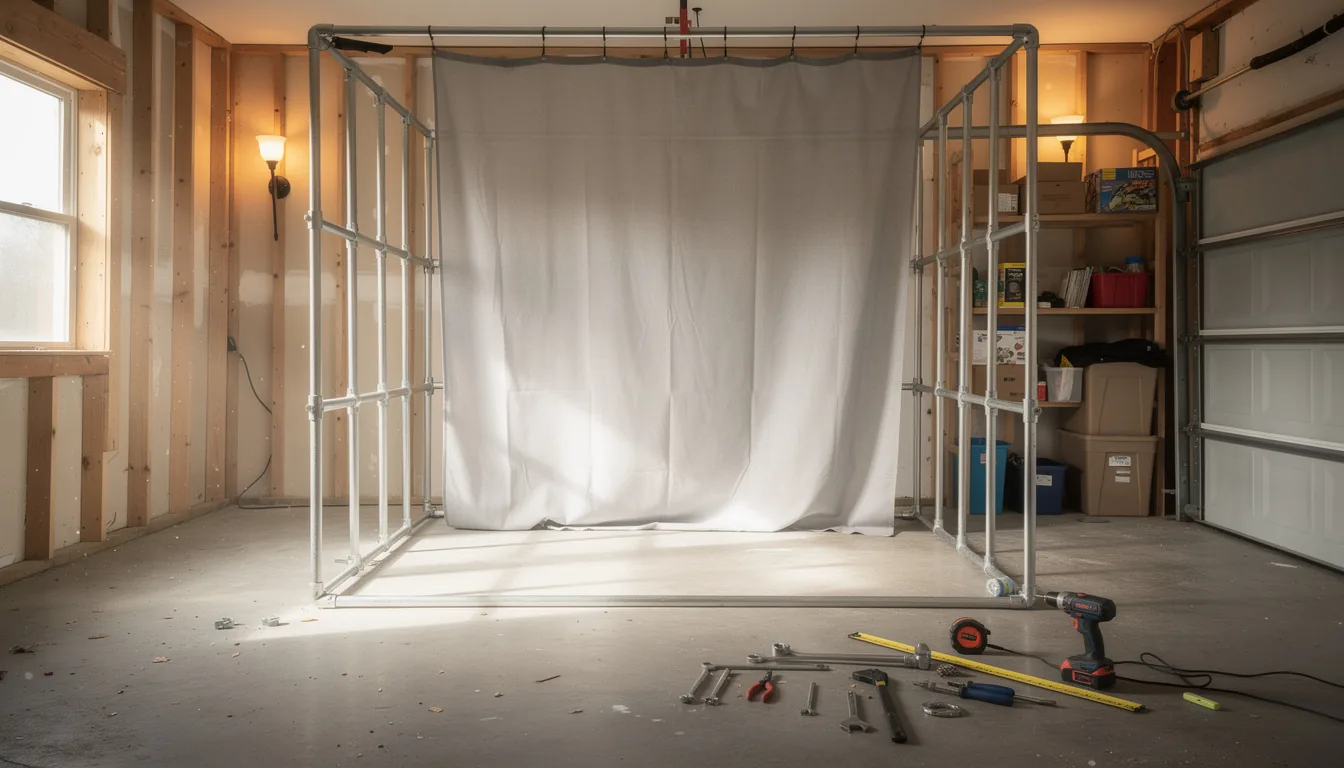
DIY golf simulator cost runs $1,000 to $2,500 for a basic build, $2,500 to $5,000 for a mid build and $6,500 to $8,500 for a premium one, which is roughly $1,500 to $3,000 below a matched packaged setup because the frame, turf and install are the only parts you can truly build yourself.
This guide is part of Golf Simulator Budget Breakdown: Parts, Room Prep and Five-Year Costs.
Sections9
- What DIY Golf Simulator Cost Looks Like at Three Levels
- DIY vs Packaged: The Real Price Gap
- Where DIY Genuinely Saves Money
- Where DIY Saves You Nothing
- Line by Line: A $2,500 DIY Build
- The Cost Nobody Puts in the Spreadsheet
- Mistakes That Cost DIY Builders Money
- When to Buy the Package Instead
- The Verdict on DIY Golf Simulator Cost
DIY golf simulator cost runs about $1,000 to $2,500 for a basic build, $2,500 to $5,000 for a mid build, and $6,500 to $8,500 for a premium one. Against a matched packaged setup, that is roughly $1,500 to $3,000 saved on a typical mid build. Packaged setups covering the same ground usually run $5,000 to $15,000.
The saving is real, but it is narrower than most build guides suggest. You cannot build a launch monitor, a projector or a good mat. What you can build is the frame, the turf layout and the install, and that is where nearly all of the money comes back.
What DIY Golf Simulator Cost Looks Like at Three Levels
Three builds cover almost everybody. These are typical retail ranges for parts, not quotes.
Basic DIY, $1,000 to $2,500. Entry launch monitor near $499, a PVC or EMT conduit frame at $80 to $150 in materials, netting, a hitting strip at $130 to $250, and a tablet you already own. No projector. Add a budget short-throw projector at $700 to $900 and a simple screen and you are near the top of this band.
Mid DIY, $2,500 to $5,000. Camera launch monitor at $1,500 to $2,000, a cut-to-size enclosure and screen kit at $400 to $1,350, a 1080p or 4K short-throw projector at $800 to $1,400, a mid mat at $250 to $400, and first-year software at $250. This is where most self-builders land.
Premium DIY, $6,500 to $8,500. Pro-grade launch monitor at $2,500 to $6,000, a better kit enclosure at $800 to $1,500, a 4K projector at $1,200 to $1,500, a studio mat near $949, a gaming PC at $1,100 to $1,900, and turf with padding at $800 to $1,200. Build quality here matches commercial rooms at roughly half the installed price.
If those numbers surprise you either way, the full cost tiers put DIY alongside packaged and turnkey builds so you can see the whole range at once.
DIY vs Packaged: The Real Price Gap
A packaged simulator bundles gear that already fits together, ships in matched boxes, and often includes install. You pay for the matching and the risk transfer.
The gap looks like this on a mid build:
- Packaged mid setup: roughly $5,000 to $8,000, install sometimes included.
- Matched DIY build: roughly $3,000 to $6,000, install on you.
- Typical gap: $1,500 to $3,000.
That gap comes from three places and nowhere else. The enclosure, the install labour, and the floor turf. Everything else costs a self-builder exactly what it costs a package buyer, because it is the same box from the same supplier.
The tradeoff is not really about money. It is about who owns the mistake if the projector throw ratio does not suit your room. A package makes that the seller's problem. A DIY build makes it yours, which is why the room-size guide matters more for self-builders than for anyone else.
Compare total golf simulator cost across the five home-build budgets before choosing DIY or a package.
Where DIY Genuinely Saves Money
Five line items pay you back for your time.
The enclosure frame, saves $1,500 to $2,900. A PVC or EMT conduit frame costs $50 to $150 in materials and an afternoon of work. A cut-to-size kit with pre-cut frame parts, side panels and a tensioned screen runs $400 to $1,500. A pre-built cabinet in a common size runs $3,099 to $3,999. Building from a kit rather than buying pre-built saves around $1,750 on its own. A cut-to-size enclosure and screen kit sized to your room is the usual middle path, and it skips the geometry problems a scratch build creates.
The install, saves $1,500 to $5,000. Mounting the projector, hanging and tensioning the screen, running cable and levelling the mat is four to eight hours of work. Paying for it costs $1,500 to $5,000. If you own a drill, a level and a stud finder, this is the easiest money you will ever save.
Floor turf, saves $400 to $800. Rolled simulator turf runs $300 to $600 for a 10 by 15 area laid yourself. A full turf and padding package with fitting runs $800 to $1,200. Cutting turf is simple work with a sharp blade and a straight edge. The flooring guide covers the padding question and why a garage slab needs levelling first.
The PC, saves $200 to $500. If you already have a gaming PC that meets the software requirements, this line is free. Building one from parts rather than buying pre-built saves a few hundred more.
Lighting, saves $150 to $300. LED shop lights at $60 to $160 a pair, hung yourself, do the job that a fitted bay lighting package charges $200 to $400 for.
Add those together on a mid build and you are looking at $2,000 to $4,000 back in your pocket for one or two weekends of work.
Where DIY Saves You Nothing
This is the half most build guides skip. Five line items cost the same whoever buys them.
The launch monitor. It is a major fixed purchase, but not a fixed share of every build. In the 2026 cost index, it accounts for 18 to 46 percent of complete projector builds and current manufacturer bundles. A stripped-down net-and-tablet setup reaches 62.5 percent only because it omits the projector, enclosure, screen, and PC. Entry radar sits near $499, camera units run $1,500 to $2,500, and pro-grade units run $4,000 to $9,000. The only lever a self-builder has here is buying second-hand, which the used market guide covers properly. Matching the unit to your room comes first, and the launch monitor rules explain why a short room needs a camera unit rather than radar.
The mat. People try to save here and pay for it in their wrists. A proper mat runs $200 to $950 because the turf pile and the base foam are engineered to absorb a fat shot. Stacked carpet offcuts are not the same thing.
The projector. No DIY version exists. A 1080p short-throw runs $700 to $900 and a 4K short-throw runs $1,200 to $1,500. Buying below about $600 washes the picture out and you stop using the room.
The impact screen. You can sew one from blackout cloth for $100 to $200 against $250 to $600 for a proper screen, and it is the one shortcut worth skipping. A real screen takes repeated driver strikes and holds a clean picture. The impact screen guide explains what the layers actually do.
The software. Everyone pays the same $250 to $600 a year, self-builder or not.
So the honest headline is this. On a $5,000 mid build, roughly $3,000 of it is untouchable by DIY, and you are competing for savings on the remaining $2,000 plus the install.
Line by Line: A $2,500 DIY Build
Rounded, first-year, using typical retail prices in mid-2026.
- Launch monitor: entry radar or budget camera unit, $499 to $599
- Enclosure frame: EMT conduit and fittings, $80 to $150
- Impact screen: entry tensioned screen, $200 to $250
- Hitting mat: budget studio strip, $379
- Projector: budget short-throw, $325 to $700
- Netting for the sides: $100 to $200
- Software year one: $250 to $349
- Cables, mount, hardware: $150
- Rough total: $2,000 to $2,800, plus about $250 a year ongoing
Two things to notice. The launch monitor is still the biggest line even at this level. And the frame, the one piece you genuinely built, is under 6 percent of the total.
Measure the room before you buy any of it. Front-to-back space decides whether that entry radar unit will read your ball at all, and ceiling height decides whether you can swing a driver. Both are covered in the ceiling-height clearance math.
The Cost Nobody Puts in the Spreadsheet
Your time. A frame build and screen install runs four to eight hours if the room is ready. Add a full day if you are levelling a garage floor or finishing a ceiling first.
Then there is the rework budget. Most self-builders spend $300 to $500 on things they did not plan: the longer HDMI cable, the second ceiling mount, the extra bracket, the turf offcut they cut wrong. Put that in the plan from the start and it stops being a surprise.
There is also a risk cost. If you mount the projector at the wrong angle for the throw ratio, you eat the return shipping. If you cut the screen fabric short, you buy it twice. A package buyer hands both of those problems to the seller.
None of that makes DIY a bad choice. It makes it a choice with a labour price attached, and that price is roughly one to two weekends plus $400 of contingency.
Mistakes That Cost DIY Builders Money
Buying gear before measuring. The most expensive DIY mistake by a wide margin. Room length decides the launch monitor type, and ceiling height decides whether the build happens at all. Measure with a club in your hands, at the top of your backswing.
Building the frame first. The frame has to suit the screen size, and the screen size has to suit the projector throw and the room width. Work backwards from the room, not forwards from the frame. The enclosure sizing rules set the order.
Going too cheap on the mat and too heavy on the frame. A $150 frame with a $500 mat beats a $600 frame with a $80 mat every single time.
Ignoring the wiring. A dedicated circuit runs $300 to $800 installed. Sharing power with a freezer or an HVAC unit causes brownouts mid-session. Electrical work follows the National Electrical Code from the NFPA and is worth handing to a licensed electrician even on a DIY build.
Assuming a net build is a failure. If the room or the family cannot take a full screen setup, a net build with a good launch monitor is the correct answer, not the fallback. The net guide covers what holds up to regular driver work.
For a comparison of build costs by the room you have rather than the parts you want, the main cost guide prices a garage, a basement and a spare bedroom separately.
When to Buy the Package Instead
DIY is the wrong call in four situations, and being honest about that saves money too.
- The room needs structural work. If the ceiling has to be finished or the slab levelled, you are hiring a contractor anyway. Let them handle the install too.
- You want one invoice and one warranty. When something fails on a mixed build, every supplier points at the other one. A matched simulator package from an indoor golf specialist puts it on one seller.
- The room has an awkward layout. Sloped ceilings and off-centre posts are where matched packages earn their premium.
- Your weekends are worth more than $1,500. That is the real number DIY is buying you on a mid build. If the maths says no, it says no.
The rest of the parts list, with sizing and price ranges for every piece, sits in the gear breakdown.
The Verdict on DIY Golf Simulator Cost
DIY golf simulator cost comes in at $1,000 to $2,500 basic, $2,500 to $5,000 mid, and $6,500 to $8,500 premium. Against a matched packaged build you save roughly $1,500 to $3,000, and nearly all of it comes from three places: the enclosure frame, the floor turf and the install labour.
The launch monitor, the mat, the projector, the screen and the software cost you exactly what they cost everyone else. That is worth knowing before you plan a build around savings that are not there. Spend your DIY effort on the frame and the install, then put the money you saved into the launch monitor rather than into a laser projector you do not need.
Price your own build against the tiers in the main cost guide, and grab the free Golf Simulator Build Planner for the measurement worksheet and the parts checklist before you order anything. If the practice green is next on your list, the putting green cost guide prices that separately.
Quick answers
How do you build a golf simulator yourself?
You build the frame, hang the screen or net, lay the turf and do the install. Everything else is bought: the launch monitor, the projector, the mat and the software. A conduit or PVC frame is the standard home build, it needs no welding, and frame plus screen plus install is four to eight hours of work.
How much does a DIY golf simulator cost?
About $1,000 to $2,500 for a basic build, $2,500 to $5,000 for a mid one, and $6,500 to $8,500 for a premium build. In our 2026 index, the launch monitor is 18 to 46 percent of complete projector builds and current manufacturer bundles. A stripped-down practice setup can reach 62.5 percent because it leaves out the projector, enclosure, screen, and PC.
How much does DIY actually save over a packaged simulator?
Roughly $1,500 to $3,000 on a mid build. A cut-to-size enclosure kit at around $1,350 against a comparable pre-built cabinet at around $3,099 is the single biggest saving. Doing your own install saves another $1,500 to $5,000 depending on the room.
What is the cheapest DIY golf simulator that works?
Around $1,000 to $1,250. That is an entry launch monitor near $499, a PVC or conduit frame at $80 to $150 in materials, netting, and a budget hitting strip. You watch numbers on a tablet instead of a projected screen. It is real practice, not a toy.
Can I build my own impact screen?
You can, and people do it with blackout cloth for $100 to $200 against $250 to $600 for a proper screen. It is the one DIY shortcut we would skip. A purpose-built screen handles repeated driver strikes and shows a clean picture, and a homemade one usually does neither for long.
Is a DIY golf simulator worth the time?
If you own basic tools and a free weekend, yes. A frame and screen install runs four to eight hours and saves $1,500 or more. If your weekends are worth more than that to you, buy the package and skip the build.